Problem[01]
Information in five places
The programme in one file, the diary on paper, drawings in a shared drive and costs in a spreadsheet. Konverge keeps them on the same project record.
General contractors
Win the work, plan it, build it and get paid for it in one workspace. The office runs it in a browser. The site keeps it current from their phones today, and with or without signal once the iPhone and Android apps arrive.
14 days free · card required · cancel before day 15 and pay nothing
Problems
The programme in one file, the diary on paper, drawings in a shared drive and costs in a spreadsheet. Konverge keeps them on the same project record.
Payment applications build from the schedule of values and the work recorded, so the certificate is a review, not a rebuild.
Subs see their own snags, sheets and packages on their phones, and payments can be held automatically while their insurance is out of date.
How it runs
Each part of the job sits on the same project record, kept current by the office in a browser and the site on their phones.
Build the programme in Konverge or import it, then let site progress move it.
Gantt with links and baselines. See the critical path, what moved and why.
Import from MS Project, Primavera P6 or CSV. Start from the programme you already have.
Look-ahead and crew planning. The next few weeks, by trade, for the site team.
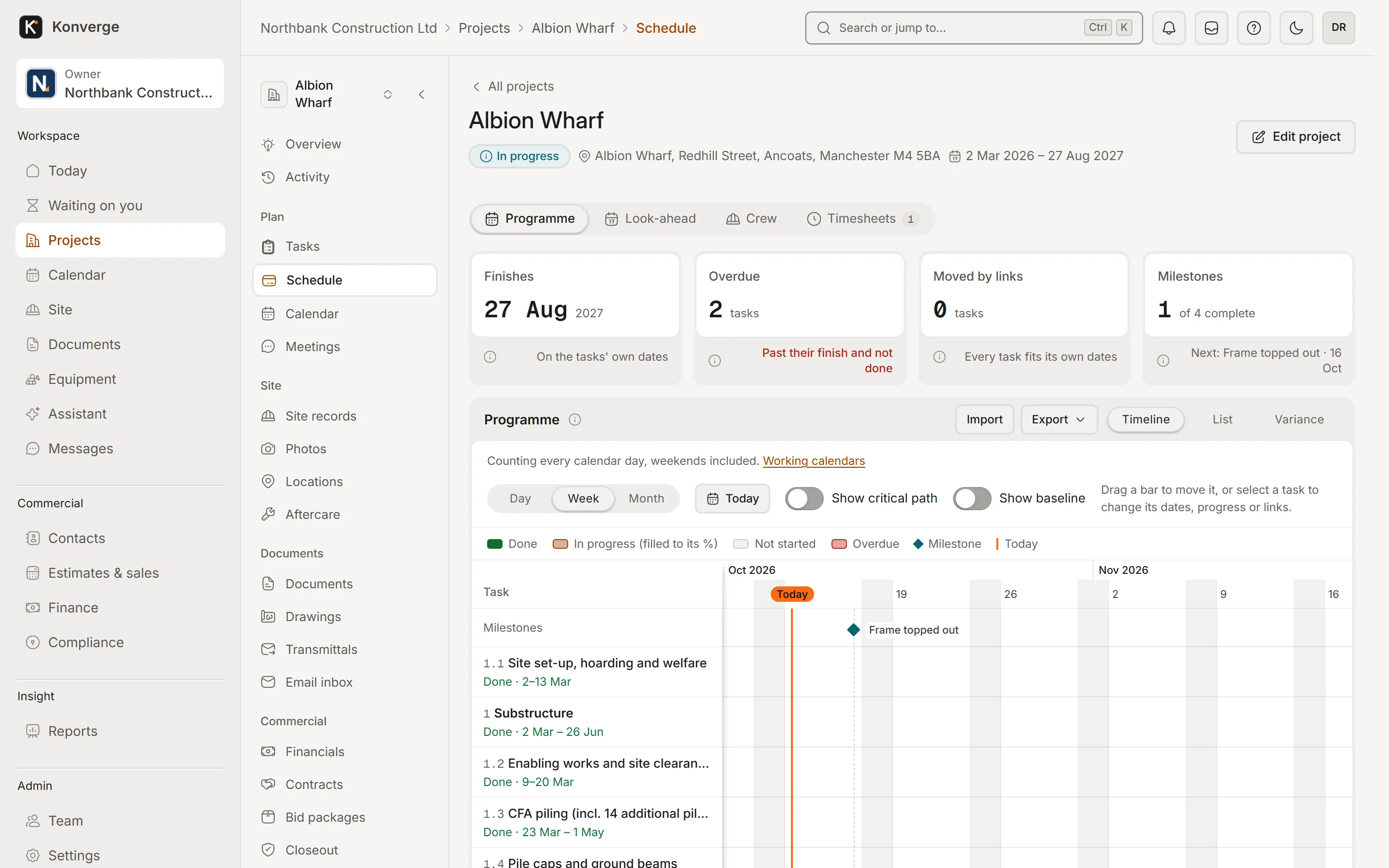
Fig. 01Programme, week view
Daily logs, snags, inspections, permits and deliveries from the phone, and queued when there is no signal once the apps arrive.
Daily logs with labour and weather. Submitted on site, approved in the office.
Snags with photos, owners and dates. Assigned to the sub who has to fix them.
Permits, inductions and the sign-in book. Who is on site, and on what terms.
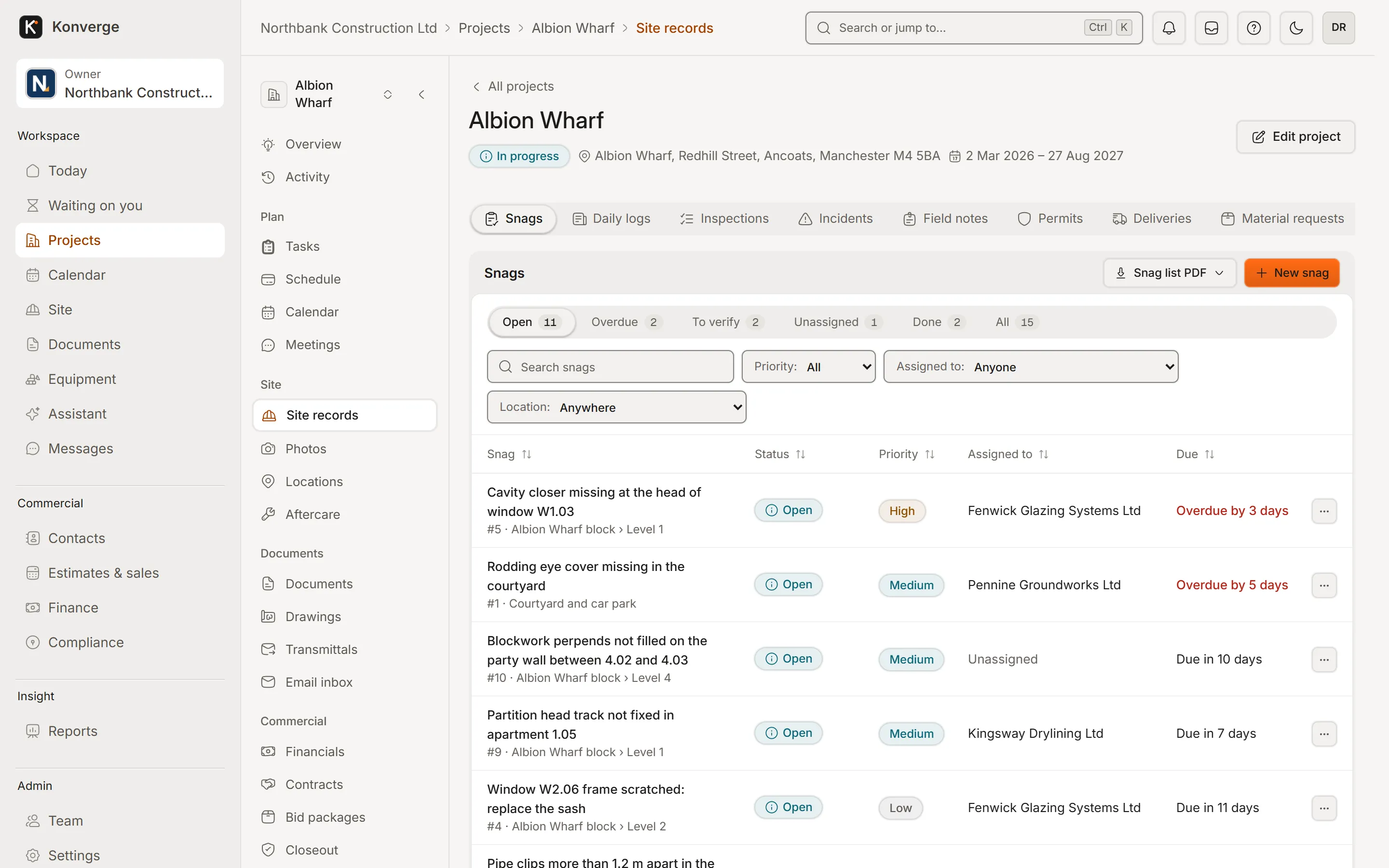
Fig. 02Snags sent in from site
Budgets by cost code, commitments from orders and subcontracts, and actuals as they are booked.
Budget, committed and spent per cost code. Spot the overrun before it lands.
Schedule of values and payment applications. Retention and previous certificates handled.
Change orders priced and approved. Flowing into the budget and the contract sum.
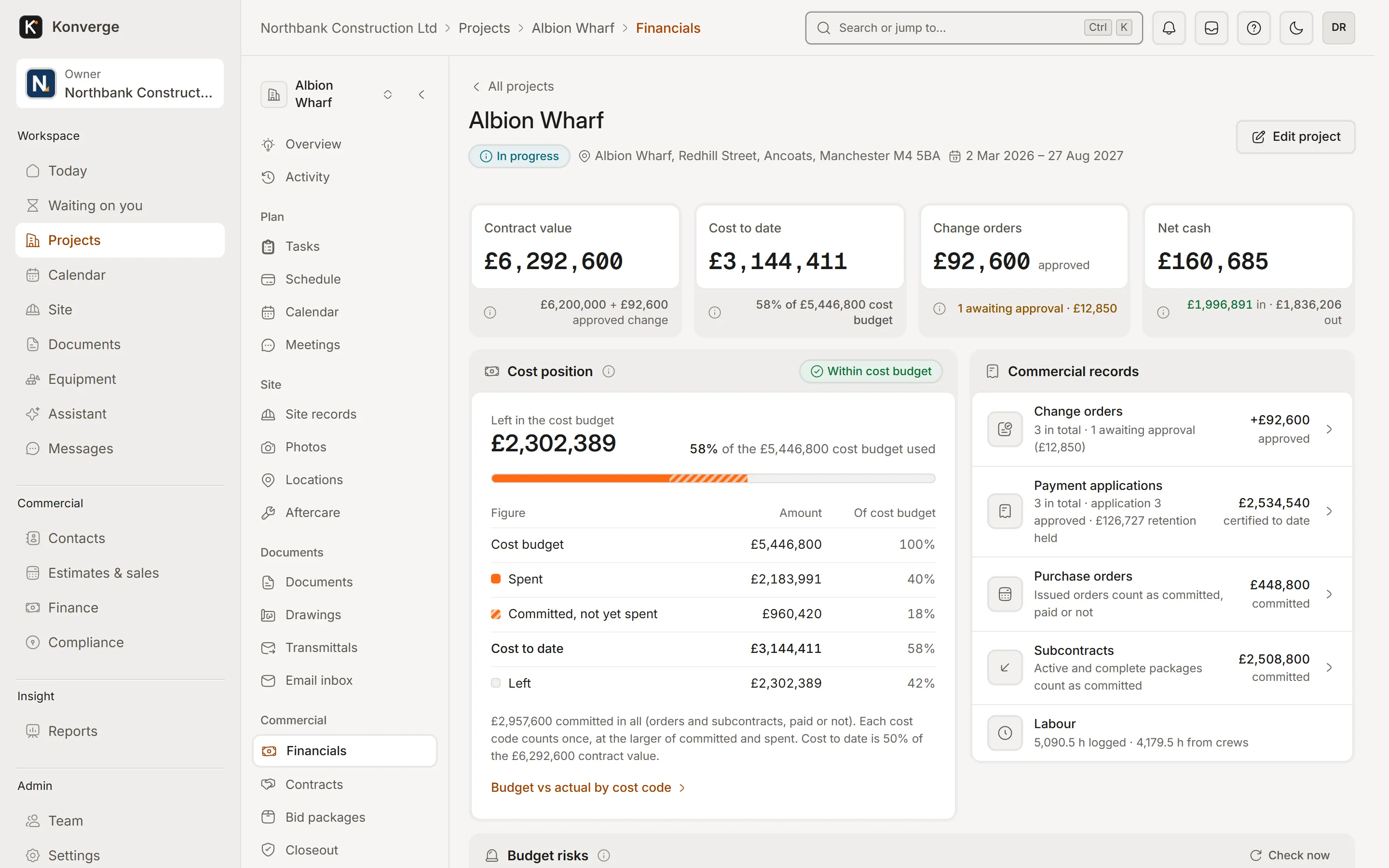
Fig. 03Project financials, Albion Wharf
Tender packages out, bids levelled, and compliance tracked against every payment.
Bid packages with private links. Subs download the documents and price online.
Compliance and prequalification. Insurance, certificates and expiry dates in one list.
Payment holds and lien waivers. No payment goes out while a document is missing.
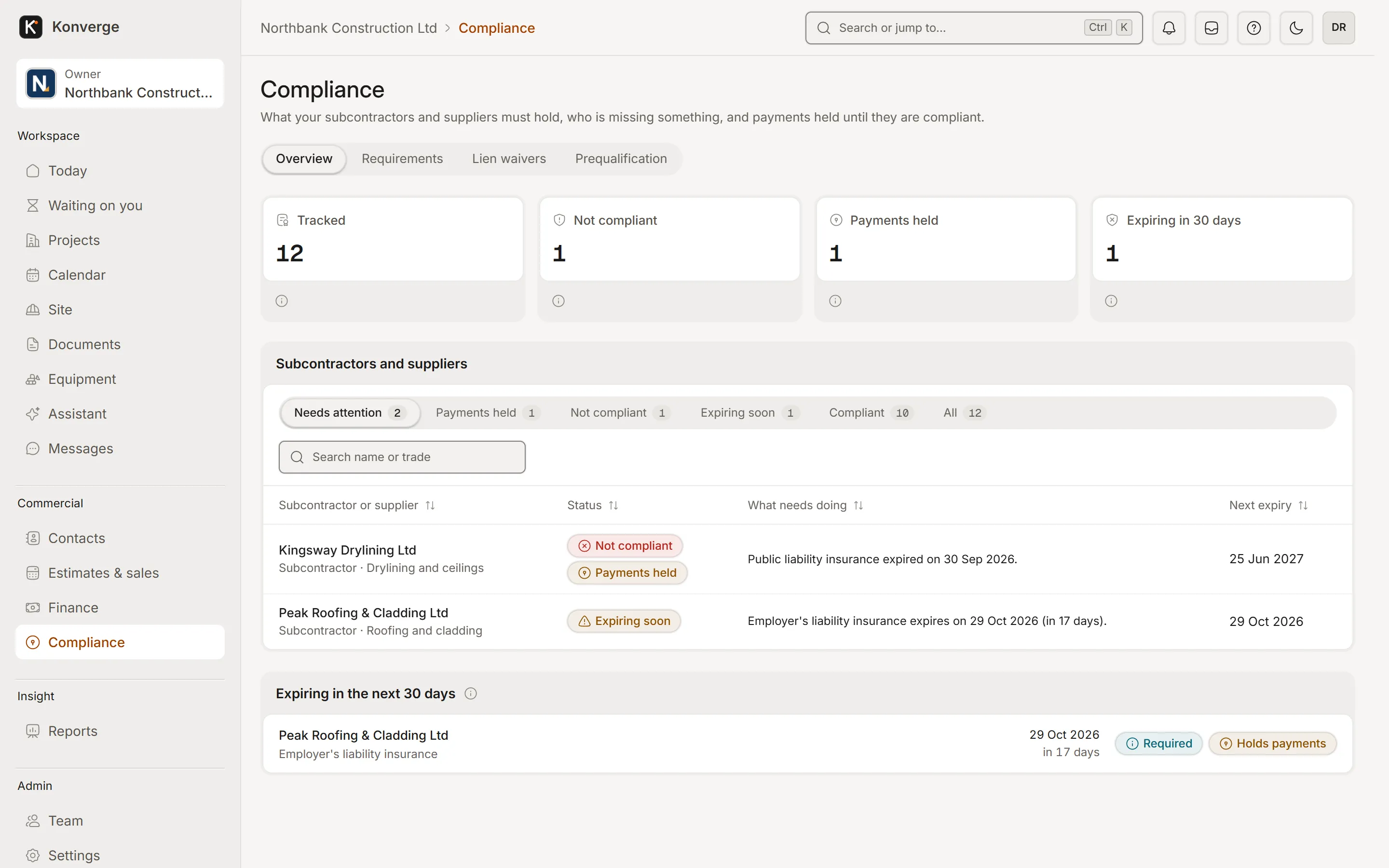
Fig. 04Subcontractor compliance
Questions
No. Konverge is built for general contractors running several live projects, with roles for directors, project managers, quantity surveyors, site managers and subcontractors. Packages run from Solo to Company for up to 60 people, and larger firms are quoted under Enterprise.
Yes. Konverge imports programmes from Microsoft Project, Primavera P6 (XER) and CSV, and you can keep a baseline to measure progress against.
QuickBooks and Xero connections are in early access. Konverge also exports to CSV and has a REST API and webhooks for other systems.
By business
14-day free trial with your card at sign-up: cancel before day 15 and you pay nothing. Bring a live job, your drawings and your team, and see it on site the same day.