Problem[01]
Working from the wrong revision
Drawings and documents are controlled in one register, with states for work in progress, shared, published and archived, so the site sees only what is current.
Commercial contractors
Run the information, the programme and the commercial side of every job in one workspace, with the site working from the current drawings on their phones.
14 days free · card required · cancel before day 15 and pay nothing
Problems
Drawings and documents are controlled in one register, with states for work in progress, shared, published and archived, so the site sees only what is current.
RFIs and submittals run as tracked workflows with owners and due dates, and transmittals record what went to whom.
Work-in-progress and cash-flow reports compare what has been earned with what has been billed on every project.
How it runs
Each part of the job sits on the same project record, kept current by the office in a browser and the site on their phones.
One register for drawings and documents, with revisions, states and distribution.
ISO 19650 states. Work in progress, shared, published and archived (Konverge supports the states; it is not a certification).
RFIs and submittals. Tracked workflows with owners, due dates and answers on record.
Transmittals. What was issued, to whom and when.
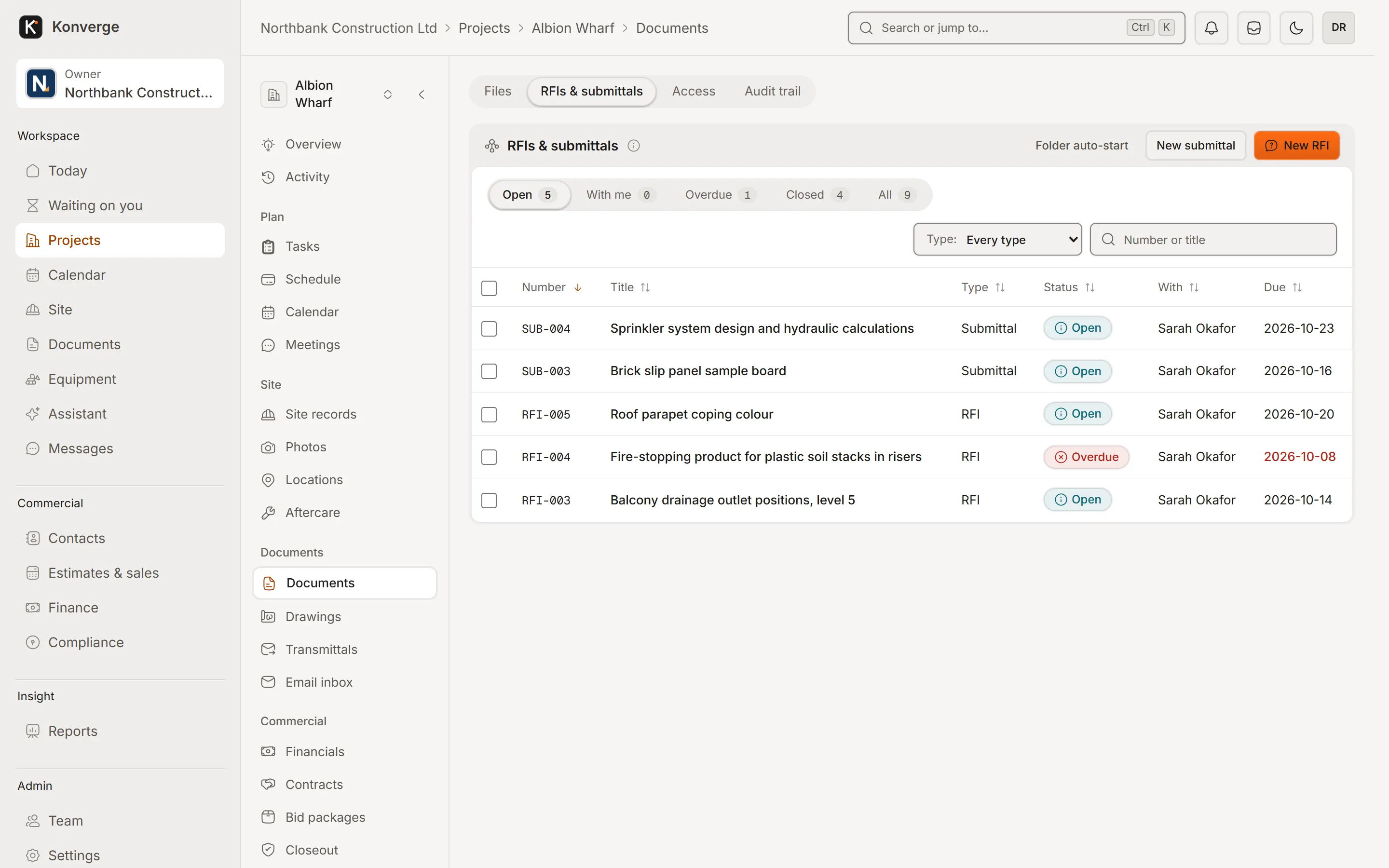
Fig. 01RFIs and submittals
A Gantt programme with baselines, imports and look-aheads that site progress keeps honest.
Primavera P6 and MS Project import. Bring the contract programme in.
Baselines and variance. See what moved since the baseline.
Meetings and actions. Minutes with owners and due dates.
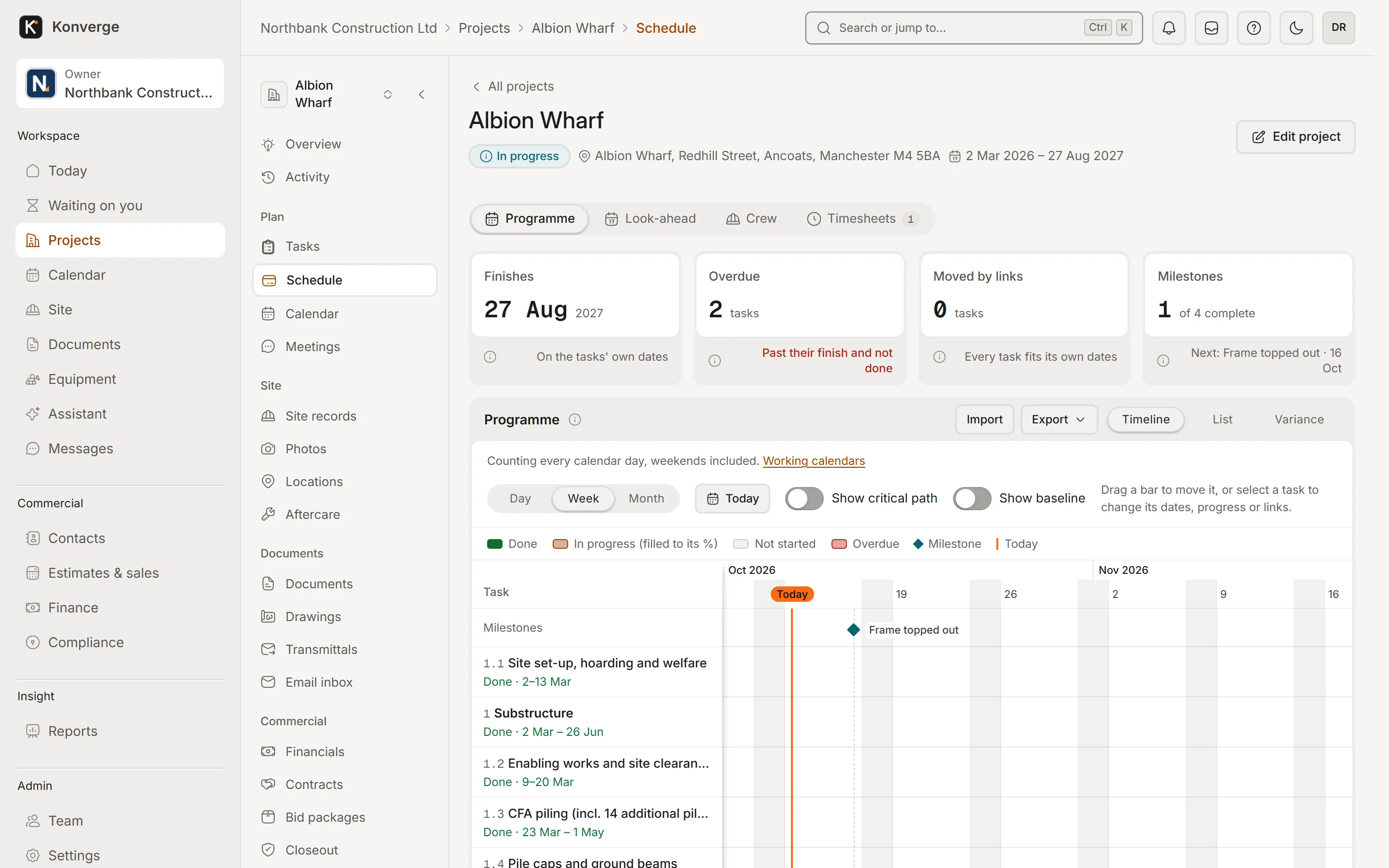
Fig. 02Programme, week view
From the schedule of values to the certificate, with WIP and cash flow across the portfolio.
Payment applications. Retention, materials on site and previous certificates.
Forecast and WIP. Earned value against billing, per project.
CIS and reverse-charge VAT (early access). For UK contractors paying subcontractors.
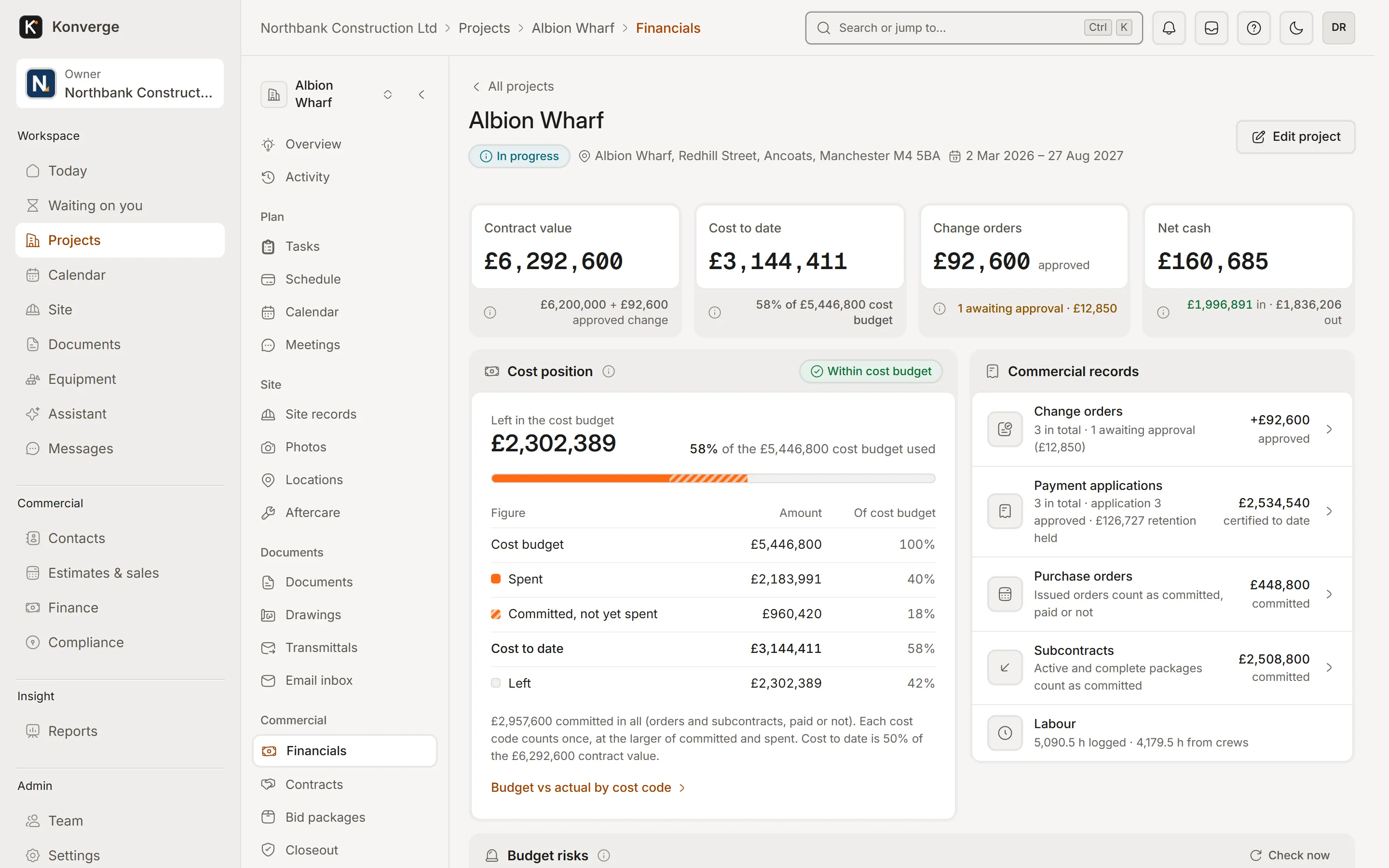
Fig. 03Project financials, Albion Wharf
Tender packages, bid levelling, subcontracts and compliance in one place.
Bid levelling. Compare prices and scope gaps side by side.
Subcontracts and purchase orders. Commitments against the budget.
Compliance and payment holds. Out-of-date insurance holds payment automatically.
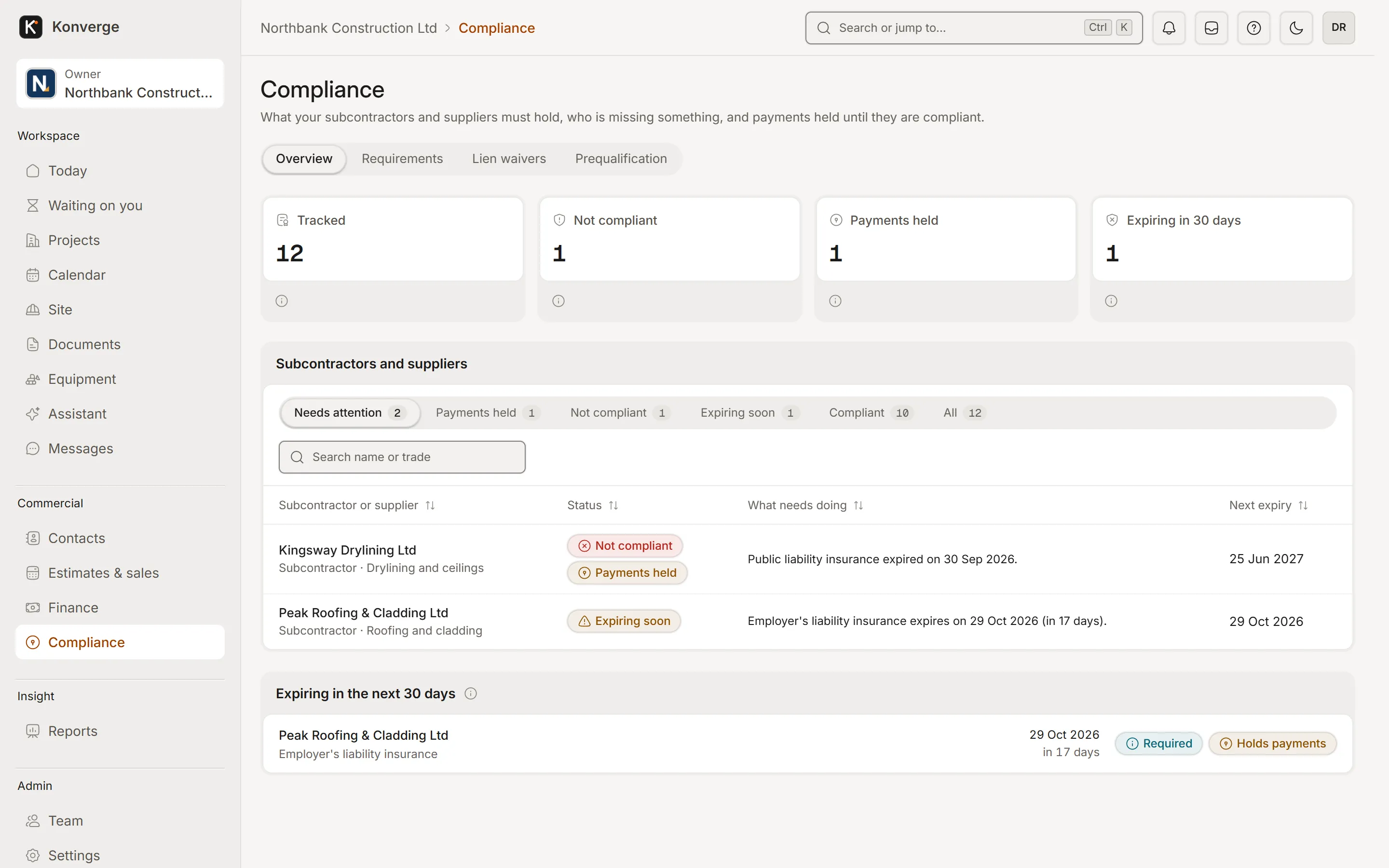
Fig. 04Subcontractor compliance
Questions
Konverge supports ISO 19650 naming and the common data environment states (work in progress, shared, published, archived). It is not itself certified.
Yes. You can add external people with their own roles, and send transmittals and tender packages by link. Subcontractors see only what you share with them.
Konverge produces payment applications from a schedule of values, with retention, materials on site and previous certificates, in the style of an AIA G702.
By business
14-day free trial with your card at sign-up: cancel before day 15 and you pay nothing. Bring a live job, your drawings and your team, and see it on site the same day.