Module K-03
Each project is a hub with eight tabs: Overview, Schedule, Team, Site, Financials, Photos, Activity and Documents. The schedule is a Gantt with the critical path computed on the phone, the team tab runs clock-in and timesheets, and closeout ends with a signature on the handover.
14 days free · card required · cancel before day 15 and pay nothing
- Module
- K-03
- Status
- Supported
- Included
- 7 parts
- Trial
- 14 days free, card at sign-up
07 parts
Part of the supported product: the part we sell and stand behind today, with full support.
- OverviewK-03.01
One screen that says how it’s going
Site, schedule, team, financial and photo summaries, plus recent activity, in one place.
- ScheduleK-03.02
Gantt with the critical path
Milestones and tasks on a day grid with the critical path highlighted. Tap a bar to edit its predecessors. Read-optimised for a phone; no accidental drag-to-reschedule.
- TeamK-03.03
Roster, roles, clock-in
Add members, set roles, see who is clocked in and for how long, approve timesheets.
- CrewK-03.04
Who is booked where
A crew schedule grouped by date with trade and notes, so the foreman knows who to expect.
- FinancialsK-03.05
Change orders with impact
Change orders carry a reason, a cost impact, a schedule impact in days and an approval flow. Figures are masked for roles without financial access.
- ActivityK-03.06
Everything that happened
A shared feed across documents, field records, tasks and messages, so the PM catches up on the train.
- CloseoutK-03.07
Handover with a signature
Practical completion and warranty dates, handover notes and an on-screen signature. Approval-gated.
Office on the web
The same records in a browser for the office, with the same permissions as the phone. These are real screens from a showcase workspace.
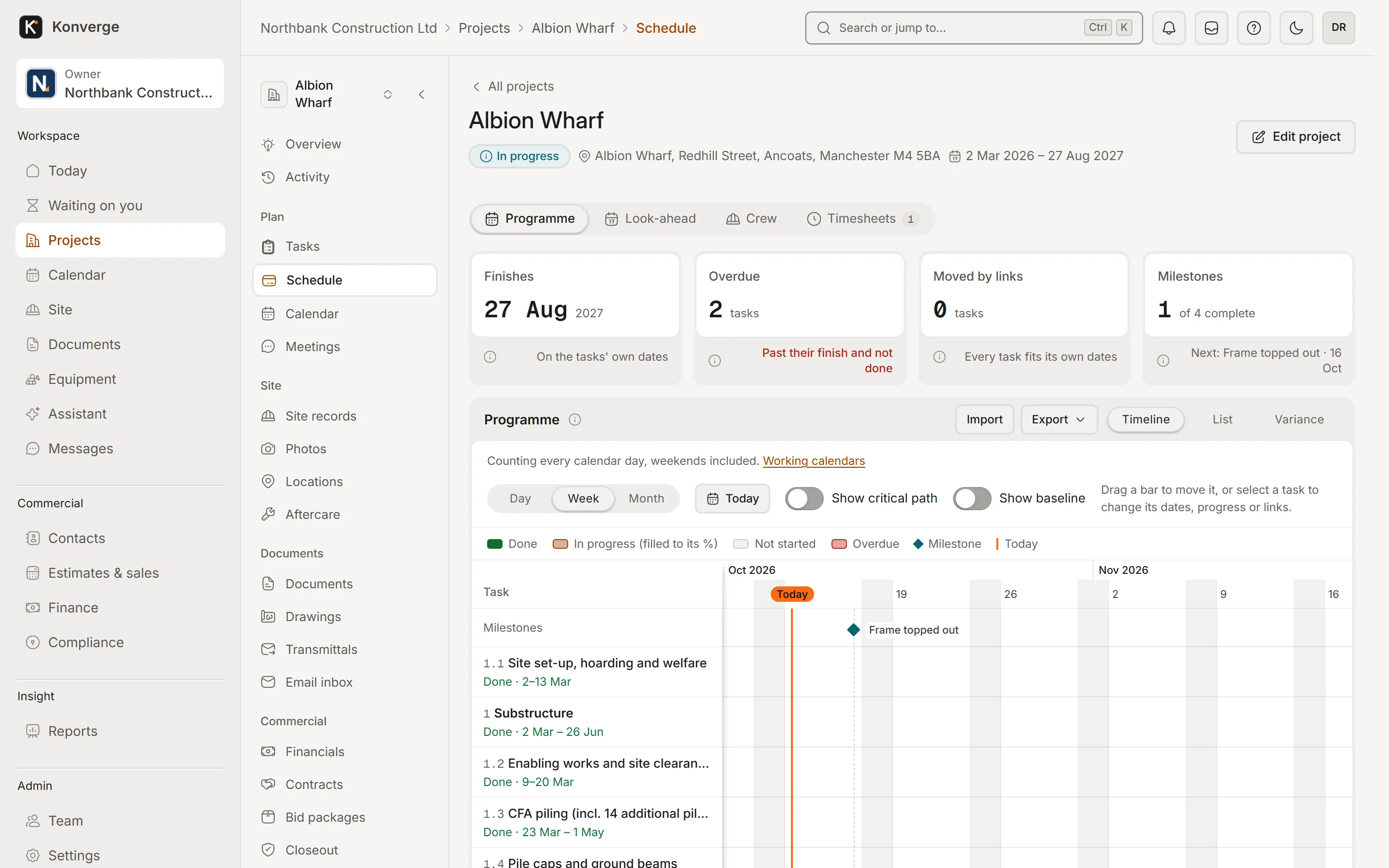
Fig. 03.1Programme, week view
- 1Finish date, overdue and milestones
- 2Gantt with critical path and baseline
- 3Tasks with dates and progress
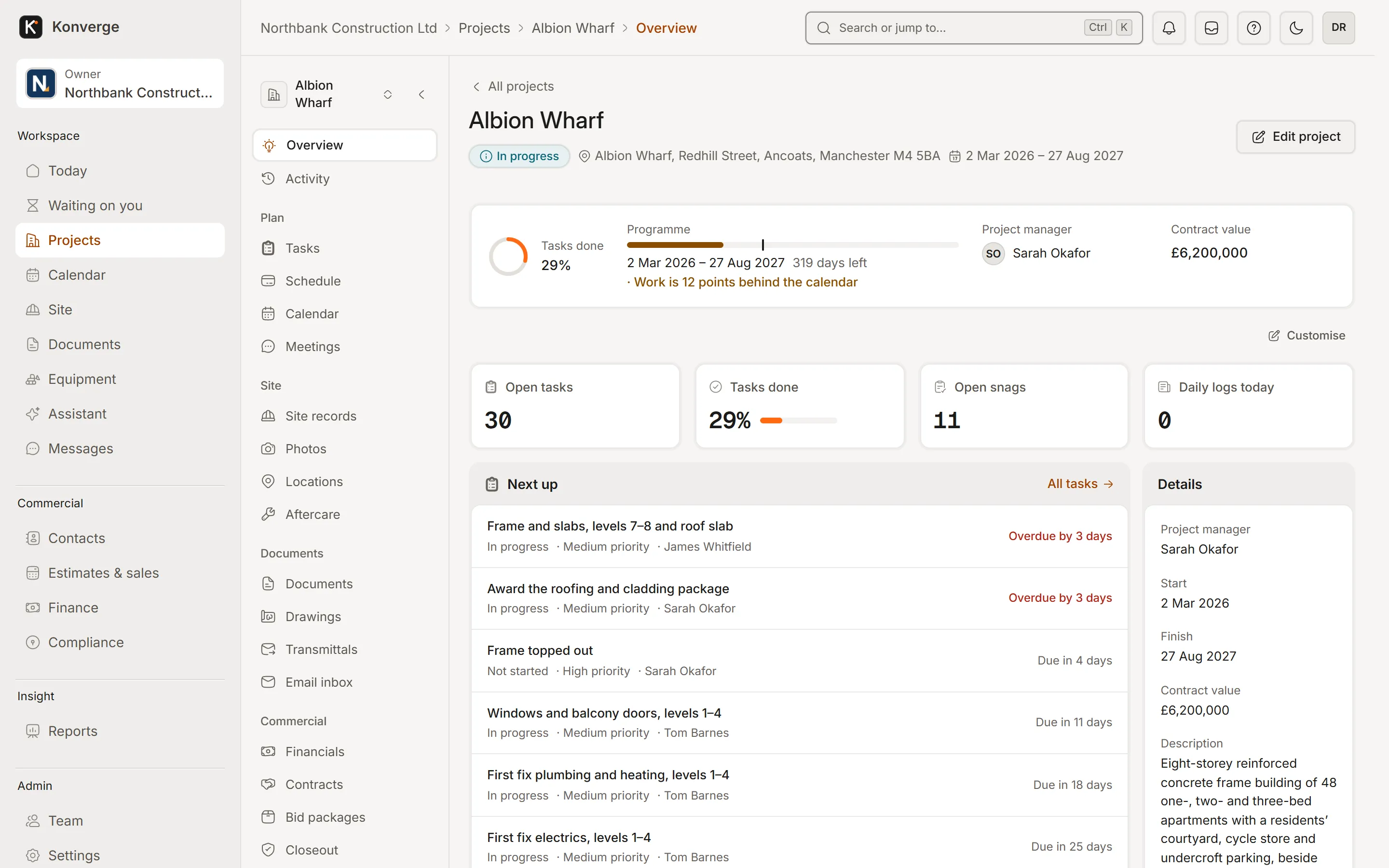
Fig. 03.2Project overview, Albion Wharf
- 1Programme against the calendar
- 2Open tasks and snags, live
- 3What is next, who has it, when
On the phone
Real captures from the demo workspace in the Android app, coming soon to Google Play and the App Store. Until then, the same records work in a phone’s browser, with a connection.
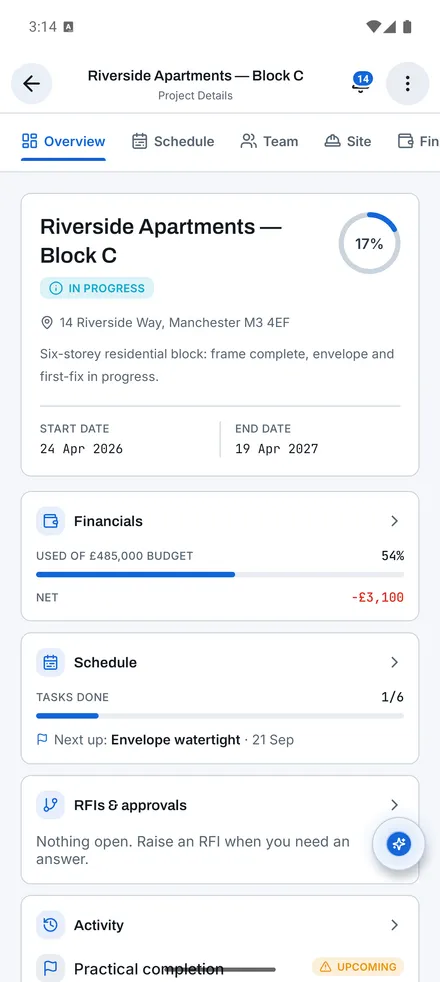
Project overview[01]
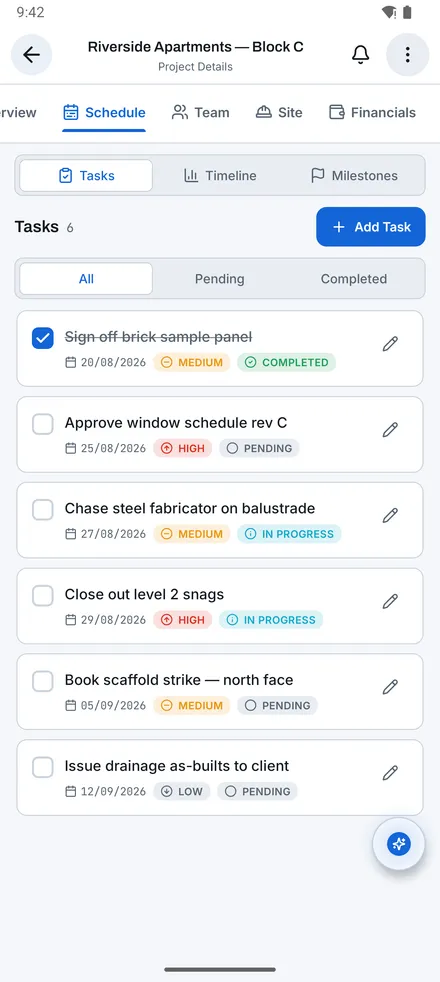
Tasks[02]
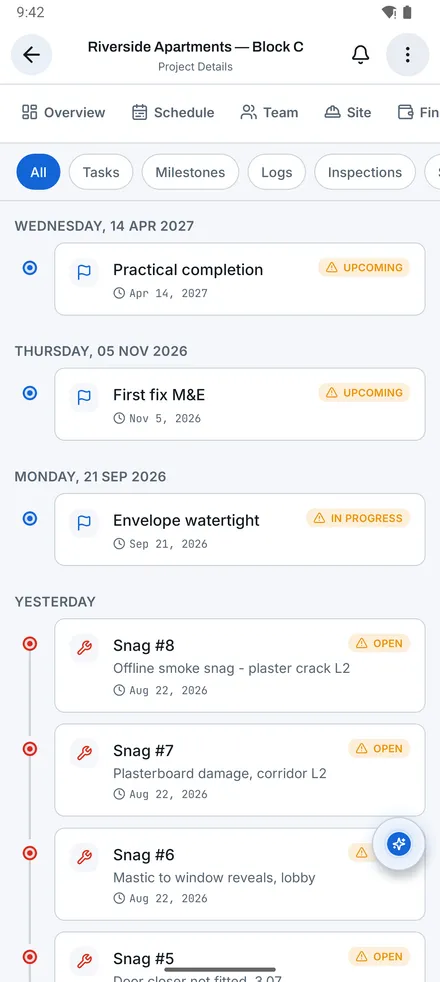
Activity[03]
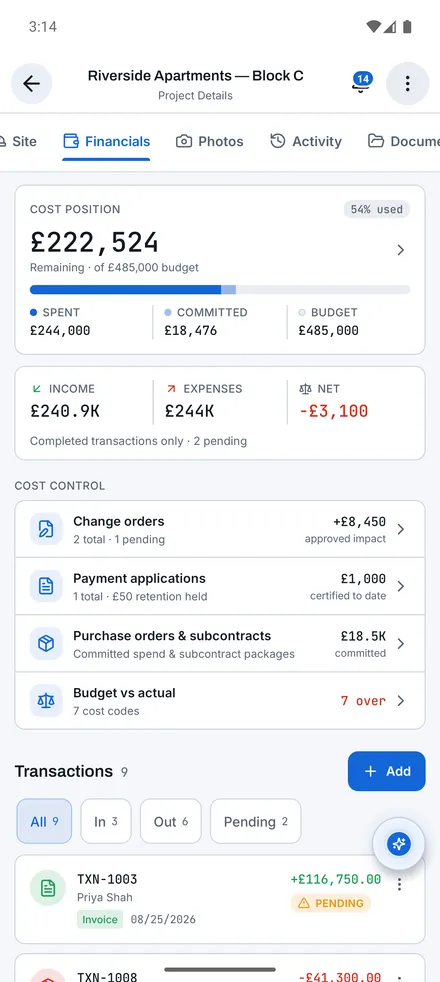
Financials[04]
Questions
01How many projects can I run?
As many as you like on Crew and above. Solo covers up to 5 active projects at a time; archived and completed projects don’t count.
02Can I reschedule by dragging bars?
Not in this version. The Gantt is built to be read on a phone; you edit dates and dependencies through the task, which keeps the critical path honest.
14-day free trial with your card at sign-up: cancel before day 15 and you pay nothing. Bring a live job, your drawings and your team, and see it on site the same day.