Module K-05
Messages, contacts and permissions are the part of Konverge that replaces the WhatsApp group. Direct and group chats carry photos, files and @mentions; contacts hold certifications with expiry; roles decide who sees what, with costs masked separately from screens.
14 days free · card required · cancel before day 15 and pay nothing
- Module
- K-05
- Status
- Supported
- Included
- 6 parts
- Trial
- 14 days free, card at sign-up
06 parts
Part of the supported product: the part we sell and stand behind today, with full support.
- MessagesK-05.01
Chats that belong to the project
Direct and group conversations with photos, files and voice notes, read receipts, @mentions and push notifications. Messages can be tied to a project or a task.
- ContactsK-05.02
Clients, suppliers, subs, employees
Contact types, recency-ranked suggestions when you assign work, and a certifications register: tickets, cards and licences with issued and expiry dates, shown as valid, expiring or expired.
- RolesK-05.03
Six roles, six personas
Owner, admin, manager, member, viewer and client roles. Each role, refined by job function, gets a Today screen arranged for the job: capture first for the field, approvals first for a director.
- MoneyK-05.04
Costs masked by default
Seeing a screen and seeing the money on it are separate permissions. Field roles and external members see a dash where the figure would be.
- CompaniesK-05.05
More than one company
Members of several companies switch between them in the app. Subcontractors join your workspace with a code.
- SafetyK-05.06
Report and block
Report a message, photo, document, AI response or user from where you see it. Owners review reports in a moderation inbox and can block users per company.
On the phone
Real captures from the demo workspace in the Android app, coming soon to Google Play and the App Store. Until then, the same records work in a phone’s browser, with a connection.
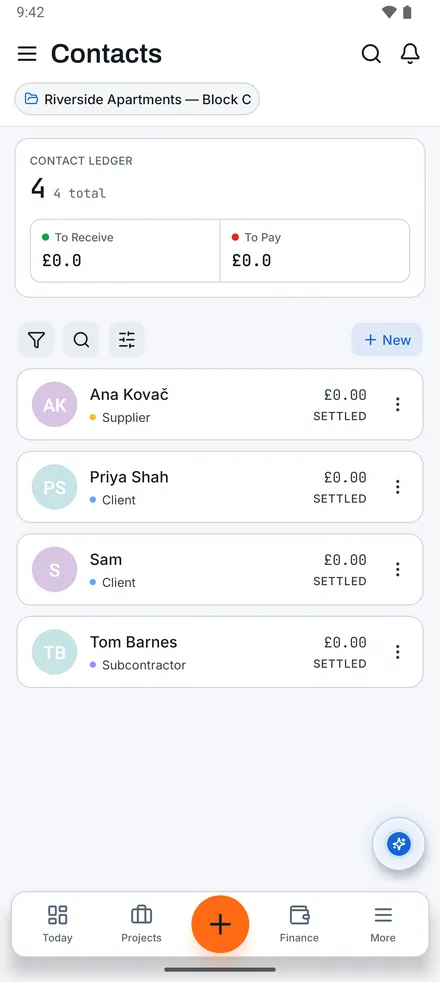
Contacts[01]
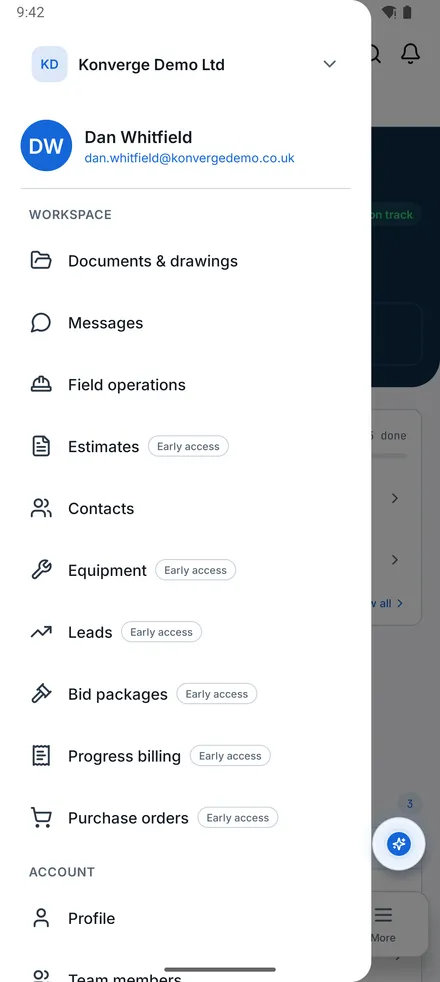
Workspace menu[02]
2 captures
Captured from the demo workspace. Start a trial to see it with your own job.
Questions
01Can I invite a subcontractor for free?
Yes. Invite them with a code; they see their snags, sheets and threads. External members do not count towards your plan band.
02Do people need the app to read messages?
Yes. Messages are inside the workspace, not email. Push notifications tell them when something arrives.
14-day free trial with your card at sign-up: cancel before day 15 and you pay nothing. Bring a live job, your drawings and your team, and see it on site the same day.